An ethernet loopback test makes a port listen to itself so you can split a dead link in half — but it takes that port out of service, so book a maintenance window before you start. You do not need a handheld tester to find a break: IEEE 802.3 puts the loopback function in the PHY, and a single passive plug on the 100 m twisted-pair channel it defines is all you need to start.
Rayin (Shenzhen Rayin Technology) is a manufacturer of GPON OLTs and industrial Ethernet switches.
A loopback proves only the path up to the reflection point, and only at the layer you set it: Layer 1 checks the port and transceiver, Layer 2 checks frame handling, Layer 3 checks the local IP stack.
A loopback interrupts service on that port for the whole test. Schedule a maintenance window, label the plug, and remove it before you hand the port back — a plug left behind shows link up with no peer.
Move the loopback outward in order — local port, cable end, far-end port, uplink — and the first step that fails is the segment you fix. A pass at every step still does not prove the application works.
A loopback takes the port out of service. Whatever hangs off that port — a camera, a PLC, a subscriber — goes dark for the duration, so book a maintenance window before you touch anything, not after. IEEE 802.3 places the loopback function in the PHY: tie TX to RX at the MDI and the port hears its own signal. What it proves depends on how high up the stack you reflect the frame.
| Layer | What you loop back | What a clean pass proves | What it cannot prove |
|---|---|---|---|
| Layer 1, physical | The PHY / MDI, with a passive plug tying transmit to receive | The local port, transceiver and (on a 1000BASE-T port) all four pairs, at the 1 Gbps rate IEEE 802.3 defines | Anything past the connector: the cable, the far end, or the far-end optics |
| Layer 2, data link | Frames reflected with source and destination MAC swapped, usually by a soft loopback on a managed port | The MAC, VLAN tag handling and FCS path; the switch accepts a frame whose source is no longer itself | That the peer forwards frames, or that duplex and CRC stay clean under load |
| Layer 3, network | A packet addressed to the port's own IP address, or a loopback interface on the router | The IP stack, the local route, and that ICMP or TCP terminates on the box | That a single packet leaves the device toward the real peer |
Two things trip people up. A Layer 1 plug on 1000BASE-T is not the two-pair crossover that works on 10/100 hardware; IEEE 802.3 runs all four pairs bidirectionally, so the plug has to cross them or the port never trains. A soft Layer 2 loopback needs the MAC swap too — send a frame back with its own source MAC and the switch drops it, which you will misread as a dead port.
The two ways fail in opposite directions. A soft loopback is a line of CLI config on a managed port; a hard plug is a passive connector you seat by hand. Neither is safe to forget. On copper the plug sits inside the 100 m channel IEEE 802.3 allows; on fibre add an attenuator so reflected light does not overload the receiver.
| Soft loopback (CLI) | Hard loopback plug | |
|---|---|---|
| How you set it | A loopback command on the port, applied remotely | A passive plug tying TX to RX, seated on site |
| What it costs you | Nothing physical, but the config survives a reboot unless you remove it | A few dollars and one trip to the cabinet |
| Port state during the test | Out of service, and the CLI may hide the real link state | Out of service; the port often shows link up on its own signal |
| Classic misuse | A loopback left in a running config, blackholing every frame on that port | The plug left in a production port after the shift ends |
| Recovery | Remove the command; verify with show output | Walk back, pull the plug, reseat the real cable |
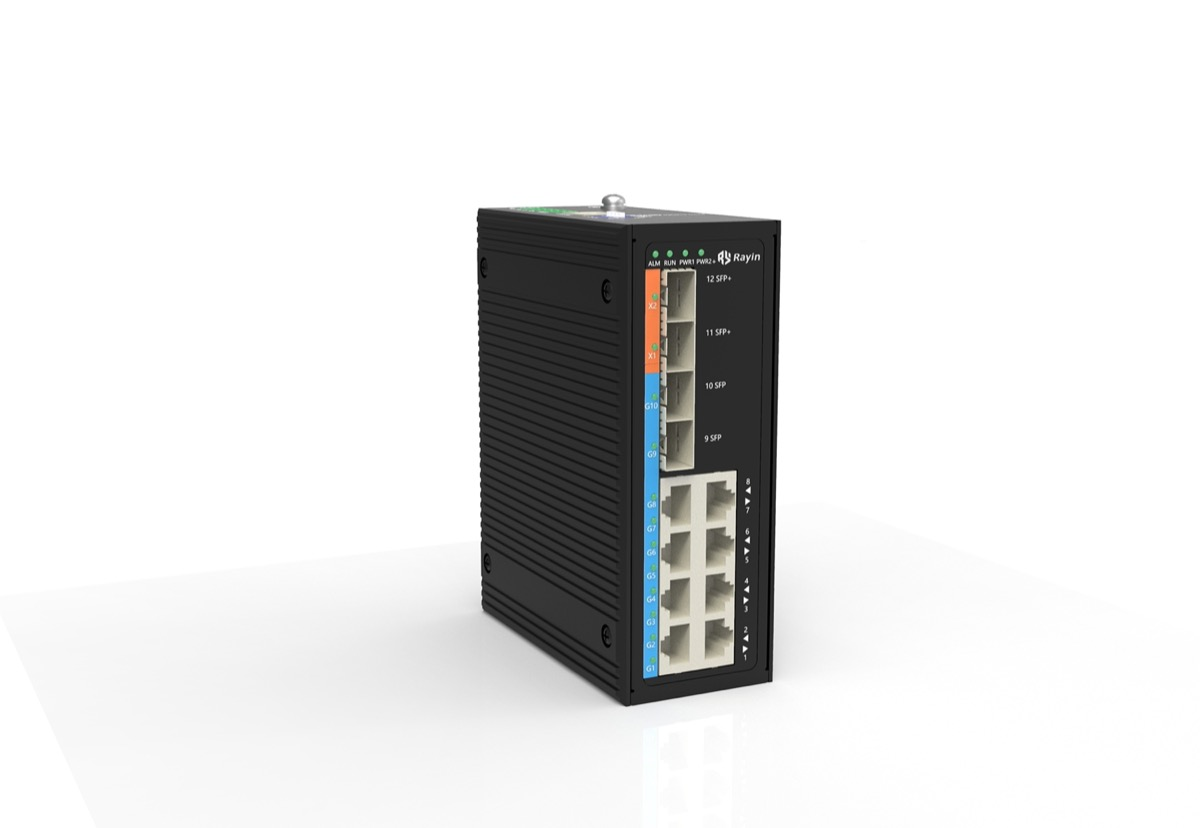
A soft loopback is a CLI line on a managed port — on an 8+4-port gigabit industrial switch from Rayin, as on most managed boxes — easy to set and easy to forget, and a forgotten one looks exactly like a dead far end. The hard plug needs a hand on site, and that hand has to come back. Label it, log the port, and make removal the last step; otherwise a 30-minute maintenance window (industry-typical for a single access port) becomes a fault that outlives you.
Move the loopback outward one boundary at a time and watch where it stops passing: local device, cable, far end, uplink. Each clean pass rules in the whole segment behind it, and the FCS/CRC counters IEEE 802.3 defines tell you the reflected frame arrived intact.
| Step | Where the loopback goes | A pass rules in | A fail points at |
|---|---|---|---|
| 1. Local device | PHY or soft loopback on the local switch port | Local port, transceiver and config | The port hardware or its loopback setting |
| 2. Cable | Hard plug at the far end of the patch cord / patch panel | The cable and both connectors, up to the 100 m IEEE 802.3 limit | A broken pair, bad crimp, or wrong pinout |
| 3. Far end | Soft loopback on the peer device's port | The full link plus the peer port up to that layer | The peer port, a duplex mismatch, or the span between |
| 4. Uplink | Loopback toward the next hop / core | Everything up to the distribution layer | The uplink or anything beyond it |
The reading is binary at each step. If step 1 passes and step 2 fails, you have a cable problem and you stop. If steps 1 to 3 pass and the service is still down, the fault is above the link — routing, VLANs or the application — and a loopback has told you all it can. Each of these is a fresh interruption, so the whole sequence belongs inside one maintenance window, not four.
Because a loopback is a mirror, not a conversation. It proves your own signal came back intact up to the reflection point; it does not prove a real peer, application or forwarding path works. A port in loopback is, by definition, not carrying that service.
| What a passing loopback proves | What it silently leaves untested |
|---|---|
| The local port and the segment up to the plug | The far-end application that has to process the frame |
| One reflected frame at one size and one rate | Mixed frame sizes, bursts, a 1500-byte MTU (industry-typical) and jumbo frames |
| A clean FCS on the way back | Duplex behaviour and CRC errors under sustained load, which a short loopback never generates |
| That the port can hear itself | VLAN tags, QoS queues and the queueing delay the real service depends on |
The loopback passes, the ticket says "link OK", and the camera is still frozen — that is the gap. It cleared the physical path and nothing more. Now you hand over to a throughput test tool, a packet capture switch with a mirror port, or the broader set of network performance testing tools. RFC 2544 is the benchmarking reference those tools follow; we point to it in Measuring LAN Throughput With iperf rather than re-run its method here, because this article is about the loopback, not an acceptance test. To see the frames rather than count them, SPAN and RSPAN port mirroring is next, and hunting packet loss layer by layer picks up where the loopback stops.
Does a passing loopback mean the port will carry production traffic?
No. A loopback proves only the path up to the reflection point, at the one layer you set. It says nothing about the far-end application, VLAN tags, queueing or a 1500-byte frame (industry-typical) under load. The port is out of service during the test, so a pass and live traffic never overlap in time.
Soft loopback or a hard plug — which is safer on a live site?
Neither is safe to forget. A soft loopback is a CLI line you can remove remotely, but it survives a reboot and blackholes the port. A hard plug needs a hand on site and shows link up with no peer. Log it in the ticket and pull it before the window closes.
Why does the port still show link up with nothing connected?
A hard loopback plug feeds the transmitter straight back into the receiver, so the PHY sees a valid signal and declares link up even though no peer exists. That green LED is the classic leftover-plug symptom; IEEE 802.3 link signalling does not know the difference. Check the port before you chase the cable.
In what order should I move the loopback to find the break?
Local port, then the cable end, then the far-end port, then the uplink. Each pass clears the whole segment behind it, so the first step that fails is the one you fix. Keep the entire sequence inside one maintenance window, because every new loopback is another interruption to that port's service.
What should I do before I close the maintenance window?
Remove the plug or the loopback command, reseat the real cable, and confirm the port carries live traffic again. On a managed Rayin industrial switch, verify with the interface counters and a ping to the far end, then log the result. A loopback still configured when you leave is a new outage.
A loopback is the cheapest fault divider on the truck, and the easiest to misuse. It tells you in one move whether the fault is in your port, your cable, the far end or above the link — provided you set it at the right layer and pull it out again. Book the maintenance window, label the plug, walk the four segments, and never write "service OK" on a frame that only ever talked to itself. When the port is back and the application still stalls, reach for a throughput test tool or a packet capture switch, not another loopback.
The layer definitions, PHY loopback behaviour, the 100 m channel, 1000BASE-T four-pair signalling and FCS/CRC framing above come from public industry sources — IEEE 802.3 (the PHY and MDI loopback function and Ethernet framing) and RFC 2544 (the benchmarking reference behind the throughput tools linked in Related Reading). The method, worked examples and wording are written by Sara, who checked each figure against those sources before publication. Anything presented as an industry-typical value is labelled as such; nothing here is a measured figure from a Rayin product unless it says so.
About the author: Sara — Sara is a Customer Manager at Rayin with over 10 years of experience in the communications field. In her free time, she enjoys badminton and swimming.
About Rayin: Shenzhen Rayin Technology Co., Ltd. — Company Profile