An industrial switch firmware upgrade is safe only when the device can roll back on its own: a proper industrial switch uses dual-image partitions and automatic config rollback, so a failed update boots the old image and keeps production traffic running. In the field, the two things people fear most are a power cut and a botched upgrade. A white-label device with a single firmware partition turns a bad flash into a brick that has to be shipped back; a real industrial switch writes the new image to a standby partition and falls back automatically. Rayin's 8+4 Gigabit industrial PoE switches use dual-image firmware and automatic rollback, so a failed upgrade never takes a production port offline.
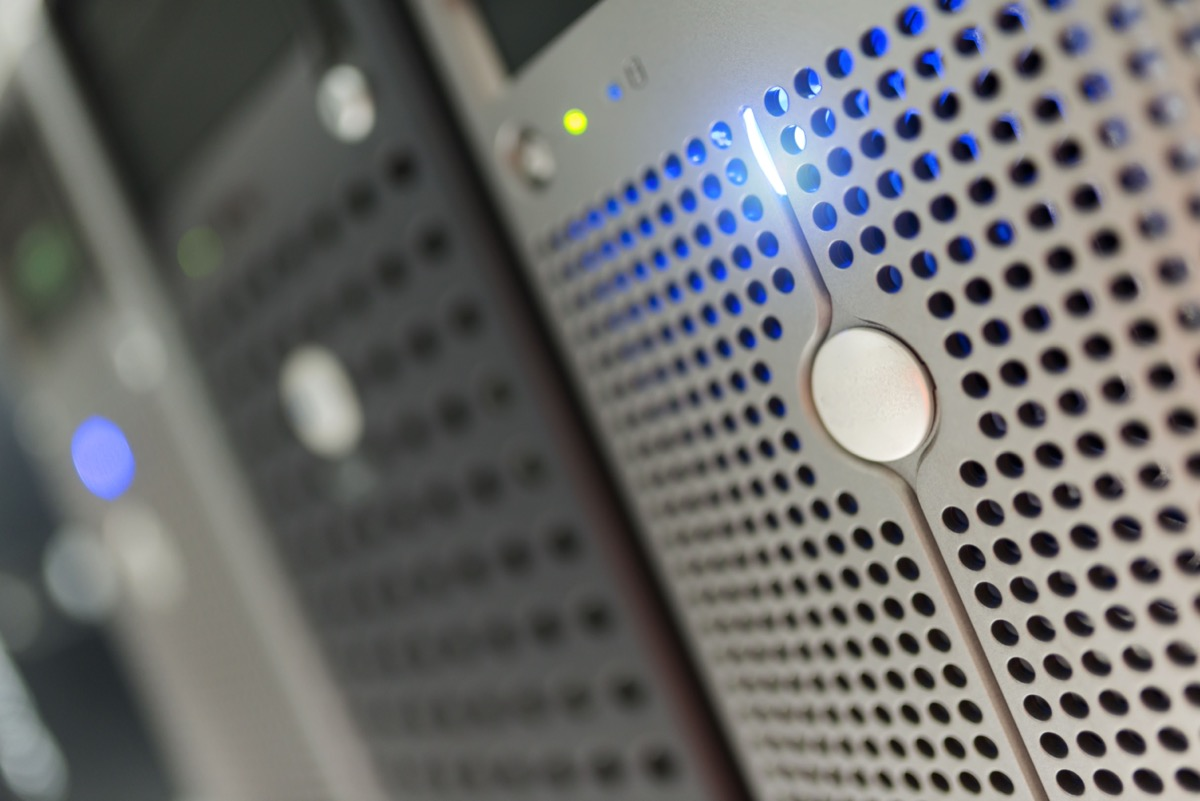
Dual-image (A/B) firmware writes the new version to a standby partition; if it will not boot, the switch reverts to the old partition with no service loss.
Always export the startup-config and confirm the current boot partition before you start—that is the floor you revert to.
Use SFTP (not plain TFTP) and only accept signed firmware; the device rejects a tampered image before it writes.
After reboot, confirm ports come up, the uplink is reachable, and SNMP/management is online; with 1+1 redundant power you can even pull the cord without dropping service.
An industrial switch often carries a whole production line or a camera network. A single-partition firmware image that gets corrupted on write will not boot, nobody on site can recover it, and it has to be returned to the factory. Dual-image splits the flash into partitions A and B: the device runs A, the new firmware is written to B, and only after a clean write does it boot from B. If B will not start, it automatically returns to A. That fail-safe is one of the key differences between industrial- and commercial-grade hardware.
| Dimension | Single-partition firmware | Dual-image (A/B) |
|---|---|---|
| Upgrade failure | Bricked, return to factory | Auto-revert to old partition, no outage |
| Rollback possible? | No | Yes—just switch the boot pointer |
| Flash usage | Small | Slightly larger (two images) |
| Best for | Non-critical commercial use | Industrial / field deployment |
Before any upgrade, export the current startup-config (TFTP/FTP/SFTP all work) and confirm which image partition is running (show boot / display version). If the config is lost you can restore it; if the image is corrupted you have a backup. Skipping this step is just betting on luck.
Tip: Store the backup config off-box. A config saved only on the device you are about to upgrade disappears exactly when you need it.
Send the new firmware to the device over SFTP—do not run TFTP in clear text across a production network. Reputable vendors sign their firmware; the device checks the signature before writing and rejects anything tampered. Note which partition the new image should land in: usually the one not currently running (the standby partition).
Write the firmware into the standby partition, then point the "next boot" image at the new partition. Crucially, this only moves the boot pointer—the device is still running the old version, so live traffic is untouched. The management port protected by IEEE 802.1X keeps working throughout. This is also why a managed PoE switch is worth the premium over an unmanaged one at any site where a truck roll is costly.
After reboot the device starts from the new partition. Watch for: does it reach the system, do ports come up as expected, is the uplink reachable, and is SNMP/management online. Do it inside a maintenance window, not by blasting dozens of units at midday. Check the SFP DDM readout to confirm Rx optical power is still above −27 dBm (Class C+ receive sensitivity).
Warning: Do not upgrade a large batch at once. A bad image across 50 switches at 2 p.m. is an incident; the same bad image on 2 units at night is a footnote.
If the new version will not boot or behaves badly, a power cycle automatically returns to the other partition's old image—that is the dual-image safety net. If it boots but a feature is broken, just point the boot pointer back to the old partition and reboot. Config rollback is the same idea: re-import the startup-config you exported in Step 1.
Upgrading dozens of units together is high risk. Upgrade 1–2 first and watch for 24 hours, then a small batch, then the full fleet. On devices with 1+1 redundant power, even pulling the cord during the test does not drop service. Before a major-version jump, verify the config syntax—ideally on a small batch—before opening it to everyone.
| Upgrade checklist | Done? | Note |
|---|---|---|
Exported startup-config backup | ☐ | Store off-box |
| Confirmed current boot partition | ☐ | show boot |
| New firmware signature verified | ☐ | Rejects tampered packages |
| Written to standby (non-running) partition | ☐ | Live service untouched |
| Maintenance window + 24h observation | ☐ | Small batch before full |
What is dual-image firmware on an industrial switch? Dual-image firmware stores two firmware images in separate flash partitions (A and B). The switch runs one while the new image is written to the other; if the new image fails to boot, the switch automatically reverts to the previous partition, so the upgrade causes no outage.
How do I roll back an industrial switch after a bad upgrade? If the new image will not boot, a reboot returns the switch to the standby partition's old image automatically. If it boots but misbehaves, point the boot pointer back to the old partition and reboot. For config, re-import the startup-config you backed up before the upgrade.
Why use SFTP instead of TFTP for firmware transfer? TFTP sends the image in clear text with no integrity or authentication, which is unsafe on a production network. SFTP encrypts the transfer, and reputable vendors additionally sign firmware so the device rejects a tampered file before writing it.
Should I upgrade all switches at the same time? No. Upgrade 1–2 units first and observe for 24 hours, then a small batch, then the full fleet. A failed image on two devices is recoverable; the same failure across dozens at once is an outage. Use a maintenance window and verify config syntax before major-version jumps.
Does a firmware upgrade interrupt the network? Not on a properly designed industrial switch. Dual-image means the running version stays live until the new image is written and the boot pointer is moved; the cutover happens at reboot, and a failure auto-reverts. With 1+1 redundant power, even a power loss during the test does not drop service.
A safe industrial switch firmware upgrade is boring on purpose: back up the config, verify the signed image, write to the standby partition, and let dual-image handle the fallback. Plan the batch rollout, and a firmware cycle becomes routine instead of a risk.
About the author: Sara — Sara is a Customer Manager at Rayin with over 10 years of experience in the communications field. She specializes in product selection and writes guides that help procurement engineers and system integrators work more efficiently. In her free time, she enjoys badminton and swimming.
About Rayin: Shenzhen Rayin Technology Co., Ltd. — Company Profile