An OLT test for a PON link means answering three questions with three meters: is the light strong enough (optical power meter, in dBm), does the fiber actually connect end to end (visual fault locator, a red light pen), and what does the whole loss profile look like (OTDR, a distance-vs-loss curve)? None of them needs a live OLT to run, but together they confirm a link before you hand it over or chase a fault. Know which meter owns which question and field work stops being guesswork.

Optical power meter reads dBm: GPON ONU receive at −20 to −24 dBm is healthy, below −27 dBm is a red flag (ITU-T G.984.2 Class B+ sensitivity is −28 dBm).
Visual fault locator (VFL, 650 nm) finds physical breaks and mis-patches you can see with the naked eye — it only checks continuity, not power.
OTDR draws the full loss curve; its event dead zone ~1 m and attenuation dead zone ~5 m decide how close two events it can separate.
Workflow: VFL first for new fiber, power meter on both ends, OTDR only when loss is unexplained or the run is long.
A PON link from OLT to ONU is all passive splitters and fiber — there is no active node in the middle to report status. So "is it working?" has no single answer. The power meter says how strong the light is, the VFL says whether it is continuous, and the OTDR says where the loss lives along the span. Each covers a different slice; skipping one leaves a blind spot.
The optical power meter clips onto a jumper and reads current optical power in dBm. For PON you must dial the right wavelength first: downstream is 1490 nm, upstream is 1310 nm (G.984.1) — dial the wrong one and the reading drifts by 0.5 dB or more.
Typical range is −50 to +26 dBm with 0.01 dBm resolution, which is plenty. The rule is simple: the closer to 0, the stronger; a bigger negative number means weaker light. A GPON ONU at the far end should sit at −20 to −24 dBm; below −27 dBm you should already be worried.
A visual fault locator (VFL, often called a red light pen) injects a 650 nm visible beam into the fiber. Where the fiber is bent too hard, broken, or mis-patched, the red light leaks out and you see it directly. It checks physical continuity, not signal strength. The red light pen only reveals visible leaks, never the power level.
On freshly laid fiber or just-finished connectors, run the VFL first. It catches a snapped fiber or a wrong patch on the spot — far faster than waiting for a power-meter alarm to surface.
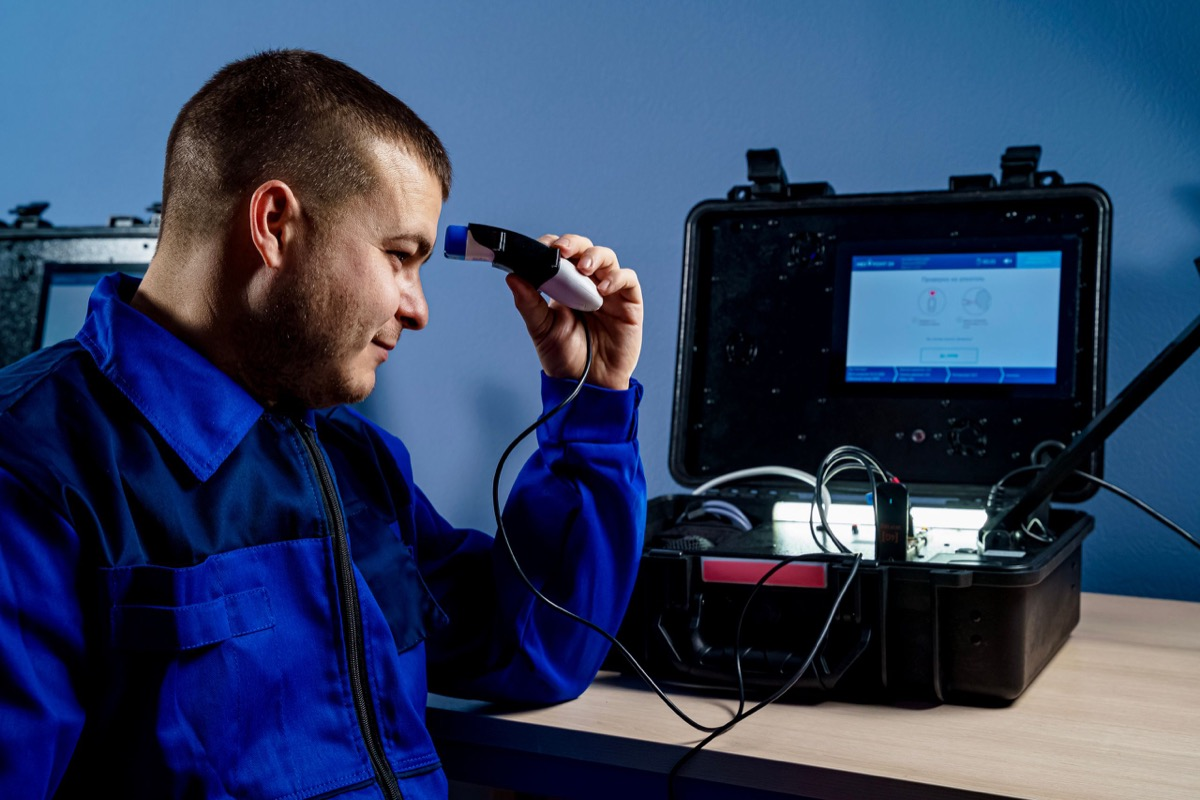
An OTDR fires a pulse train into the fiber and measures backscattered light, plotting a distance-vs-loss curve. Every kink in the curve is an event: a connector, a splice, a splitter, or a break.
Two parameters matter. The event dead zone (~1 m) decides whether it can tell two closely spaced connectors apart; the attenuation dead zone (~5 m) decides whether it can measure their loss accurately. The OTDR sees the entire span, so it fits long hauls, hard-to-find faults, and acceptance archiving.
| Meter | Measures | Key spec | Typical use |
|---|---|---|---|
| Optical power meter | Current power (dBm) | 1310/1490 nm, −50 to +26 dBm | Daily check, Rx margin |
| Visual fault locator (VFL) | Physical continuity, mis-patch | 650 nm visible | New fiber, find breaks |
| OTDR | Whole-span loss profile, events | Event dead zone ~1 m, att. ~5 m | Long runs, fault locate, archive |
When the link crosses a pon splitter, the OTDR shows each split as one fixed loss step while the power meter only sees the total — that split-by-split detail is why all three meters stay useful.
On a new link or a suspected break, connect the red light pen at one end and watch the other. Light leaking at a bend or nothing at the far end pinpoints the break in seconds. This 30-second step rules out most "it never connected" problems before you spend time elsewhere.
Dial 1490 nm (downstream) and 1310 nm (upstream), and read at both the OLT side and the ONU side. If OLT receive from the ONU drops below −25 dBm, raise an alert, then use "transmit power − receive power = actual link loss" to see whether the ODN loss is over budget. Across a pon splitter, that measured ODN loss must stay under the splitter's rated dB.
When the run is long or the loss won't add up, run an OTDR trace. Read the distance and loss at each kink to confirm whether it is a loose connector (sudden loss jump) or a splitter position (fixed step), then dispatch only after you have located the fault to the meter.
Is a negative power-meter reading normal? Yes. Optical power is always negative in dBm; −20 dBm is ten times weaker than −10 dBm, but as long as it is above sensitivity you still have margin. Watch how much headroom is left to sensitivity, not the sign.
The VFL sees the break — why still use an OTDR? The VFL only shows obvious leaks you can see. It cannot reveal "connector loss creeping up by 0.5 dB." The OTDR's value is the full curve for precise location and acceptance records; the two complement each other.
Does dialing the wrong wavelength matter? It changes the reading. The meter is calibrated per wavelength, so a 1490 nm reading on a 1310 nm signal is off. PON uses different wavelengths up and down, so dial the band you are measuring.
What does OTDR dead zone mean? It is the distance the meter cannot resolve between two nearby events. Inside ~1 m event dead zone two connectors read as one; inside ~5 m attenuation dead zone their loss is inaccurate. Extend with a launch jumper on short links to separate events.
Can Rayin gear be tested with any meter? Yes. Rayin OLT and ONU interfaces and optical budgets follow ITU-T G.984, so any standard power meter, VFL, or OTDR connects directly — no proprietary meter required.
Written by Sara, Customer Manager at Rayin — over 10 years in communications, focused on helping ISPs validate and maintain PON and industrial-switch networks for emerging markets.
About Rayin → https://www.szrayin.com/Profile/