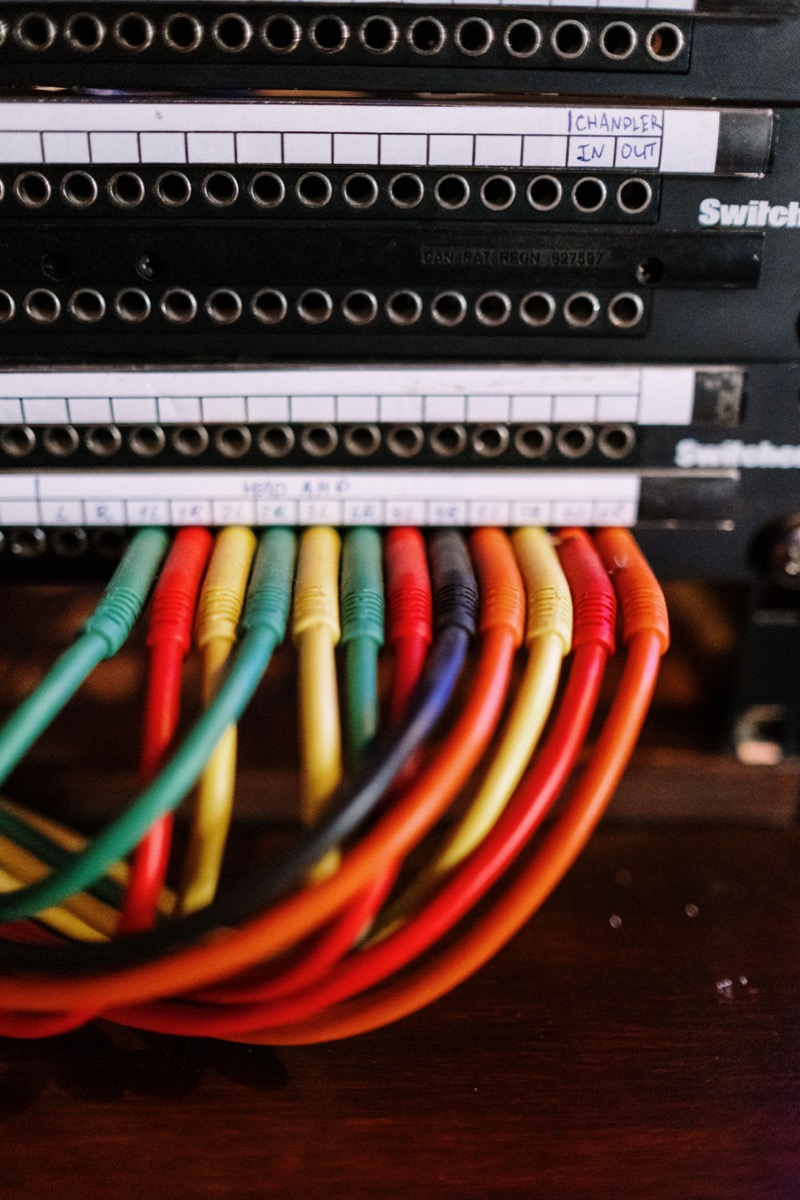
Port flapping is a physical-layer fault that a switch is forced to express as a topology event, and suppression is how you stop one bad connector from taking the network with it. A dirty fiber end-face, a patch cord under tension, or an SFP that is not fully seated produces a link that goes up, down, up, down — and every transition costs a spanning tree recalculation, a MAC table flush and a syslog burst. Dampening and err-disable exist to convert that into a single isolated port with a clear alarm.
Rayin (Shenzhen Rayin Technology) is a manufacturer of GPON OLTs and industrial Ethernet switches.
A port that cycles three times in ten seconds is more damaging than a port that has failed outright, because a failed port is stable and a cycling port re-converges the topology every time.
Carrier delay (link debounce) filters micro-drops at the physical layer; link dampening counts real transitions and suppresses the port; err-disable takes the port out of service after a policy violation. They solve three different problems.
Most fiber flapping is contamination, not hardware failure. A single fingerprint on an LC ferrule can add 0.5 dB or more and shift with temperature, which produces exactly the intermittent pattern that no threshold alarm catches.
The list is short and physical. Work through it before touching any protocol configuration, because port flapping is almost always a symptom that points outside the switch configuration.
| Cause | Signature in the logs | How to confirm |
|---|---|---|
| Contaminated fiber end-face | Intermittent up/down, worse after a temperature swing or after someone works in the cabinet | Inspect the ferrule with a scope; measure insertion loss before and after cleaning |
| Patch cord under tension or bent past its radius | Flap correlated with door movement, cable tray work, or vibration | Swap the cord; check bend radius against the cable rating |
| SFP not fully latched | Flap after transport or after maintenance | Reseat; check the latch clicks and the module sits flush |
| Duplex or speed mismatch | Link comes up, then error counters climb, then it drops | Check both ends; forced 1000full against autoneg is a classic |
| Marginal optical power | Up/down only at one end of the temperature range | Read DDM transmit and receive power; compare with the module's specified window |
| Power supply sag or PoE overload | Multiple ports drop together, often at the same time of day | Correlate with power events; check PoE budget headroom |
| Spanning tree or loop protection shutting the port | Log shows the guard feature, not a link loss | Check BPDU guard, root guard, loop-detect counters |
| Duplicate MAC or address conflict | Flap plus MAC table moves between ports | Check the MAC table for the same address on two ports |
The important split is between link-layer loss (the port sees carrier go away) and policy shutdown (the switch decided to disable the port). They look identical from a monitoring dashboard and require opposite fixes.
A flapping port is not a local problem, and this is what justifies spending configuration effort on it.
Spanning tree reconverges. Every transition is a topology change. On RSTP that is a proposal-agreement cycle; on a larger L2 domain it can be a longer reconvergence, and each one flushes MAC entries across the topology. Users experience it as a stutter in a video stream or a PLC connection that drops and re-establishes.
The MAC table churns. Frames for the affected MAC get re-learned repeatedly. On a switch with a modest table this is harmless; on a busy access layer it displaces other entries, and the switch starts flooding.
The CPU sees a syslog storm. Every transition generates interface and protocol messages. A port cycling every two seconds for an hour generates 1,800 events per hour per port, and if the log destination is a collector over the management VLAN, that traffic competes with real management polling.
Redundancy stops being redundant. If the flapping port is one leg of a LAG or a ring, the protection mechanism may switch back and forth, and every switch-back is a traffic interruption. Ring protection that converges in under 50 ms is worthless if it converges 400 times an hour.
Dampening is a penalty counter. Each transition adds a penalty, the penalty decays over time, and the port is suppressed when the accumulated penalty crosses a threshold. The goal is not to hide a link flap but to stop it repeating often enough to disturb the topology.
The parameters, in the order you should set them:
Flap detection window and count. The common starting point for link flap detection is five transitions within ten seconds. Below that you are chasing noise; above it you are letting the topology reconverge too often.
Suppress threshold. The penalty value at which the port is taken out of service.
Half-life. How quickly the penalty decays. A longer half-life makes the port stay suppressed longer after the flapping stops — useful when the underlying cause needs a human.
Reuse threshold and maximum suppress time. The lower bound for returning to service, and a ceiling so a permanently broken port does not stay suppressed forever without an alarm.
The behavioural detail that matters in the field: dampening does not fix anything. It converts a fast oscillation into a stable "down" state, which is easier to alarm on and stops the topology churn. You still have to clean the connector.
Note: Dampening works best when the port is a leaf. On an uplink or a ring port, suppressing the link can trigger the redundancy protocol instead of protecting the network. Size the timers so that a genuine redundancy event is not mistaken for flapping.
They are frequently confused, and configuring the wrong one leaves the actual failure mode untouched.
| Mechanism | What it reacts to | Where it acts | Best used for |
|---|---|---|---|
| Carrier delay (link debounce) | Very short carrier drops, typically milliseconds to a couple of seconds | Before the link is reported up or down to the software | Filtering micro-drops from a marginal optical link or a noisy copper PHY |
| Link dampening | A counted number of real up/down transitions in a window | After the link state is reported, before traffic is allowed | Stopping topology churn from an intermittently bad connector |
| err-disable | A policy violation: port security, BPDU guard, storm control, link-flap policy, DHCP snooping rate | Takes the port administratively out of service | Making a violation visible and requiring intervention |
| errdisable recovery | A timer or a manual clear | Returns an err-disabled port to service automatically | Unattended sites where a truck roll for a single port is too expensive |
The distinction to remember: carrier delay hides the symptom, dampening contains it, err-disable makes somebody deal with it. On an unmanned substation or a roadside cabinet, that last one matters — a port stuck in err-disable with no automatic recovery is an outage until someone drives there.
Single-mode glass does not degrade in a cabinet. The connector on the end of it does.
An LC or SC ferrule is a ceramic cylinder with a polished end-face, and the light crosses a physical contact between two of them. Anything between the two surfaces — dust, skin oil, a dried droplet of isopropyl residue — sits directly in the optical path. A contaminated end-face commonly adds 0.3 dB to 0.5 dB, and a badly contaminated one more than that. Worse, the loss is not stable: it changes with temperature, with the pressure of the latch, and with the position of the cord.
That instability is what produces flapping rather than a clean failure. The receiver sits just above its sensitivity threshold, and every small mechanical or thermal change pushes it across.
Three habits prevent most of it:
Inspect and clean every connector before mating, including new patch cords from the bag. Factory caps protect against dust, not against handling.
Use one-click cleaners on bulkhead adapters, not on the ferrule end-face, and never reuse a cleaning cassette beyond its rated cycles.
Cap every unused port and every unmated connector, including during maintenance when the cord is "only going to be out for a minute".
Warning: Never look into a live fiber or an active SFP port. Use a scope or an inline power meter. The infrared light is invisible and will not trigger a blink reflex.
A workable starting configuration for an access port on a plant floor, with the reasoning behind each line:
Set carrier delay to 2 seconds on fiber ports. That filters the sub-second drops caused by a marginal receiver without hiding a real link loss, which RSTP will still detect within its own timers.
Enable a flap policy: five transitions in ten seconds triggers err-disable. This is stricter than dampening and produces an alarm state rather than a silent suppression — appropriate where a flapping port is always a physical fault.
Enable errdisable recovery with a 300-second interval, so a transient event does not require a site visit, but a recurring fault re-enters err-disable and stays visible in the alarm history.
Log the reason. Most platforms record the err-disable cause. Without it, the next engineer sees a dead port and no explanation.
Alert on the counter, not only on the state. A port that has flapped three times this week is a maintenance ticket even if it is currently up.
Work in this order, because the cheapest checks come first.
Read the recorded reason. Port security violation, BPDU guard, storm control, link-flap — each points at a different fix, and guessing wastes a site visit.
Check the optical budget at the port. DDM receive power against the module's specified range. If receive power is within 1 dB of sensitivity, the link is marginal regardless of what the flap counters say.
Inspect and clean both end-faces, then re-measure insertion loss. A 0.3 dB improvement after cleaning is proof of contamination and a strong hint that the same person terminated other ports the same way.
Swap the patch cord before swapping the SFP. Cords fail from handling far more often than modules fail from age.
Check the far end. A flap is a property of a link; the fault may be at the other end, in a cabinet nobody has opened in two years.
What counts as a flapping port on a switch?
Repeated link state transitions on a port within a short window — commonly five or more up/down cycles in ten seconds. A single transition during maintenance is normal. The threshold matters because every transition triggers a topology change and a MAC table flush.
Can a flapping port still lose packets when the link reads up?
Yes. During each transition the port is unusable for the reconvergence interval, and frames in flight are discarded. On a link that flaps every few seconds the effective availability can fall well below 90% even though monitoring shows the port mostly "up".
What is the difference between err-disable and link dampening?
err-disable removes a port from service after a policy violation and requires recovery by timer or manually. Dampening suppresses a port after a counted number of link transitions and returns it after the penalty decays. err-disable is an alarm state; dampening is a containment mechanism.
Can a dirty fiber connector really cause flapping?
It is one of the most common causes. Contamination adds 0.3–0.5 dB or more directly in the optical path, and the loss varies with temperature and mechanical pressure. A receiver sitting near its sensitivity threshold then crosses it repeatedly, which appears as an intermittent link rather than a clean failure.
Should errdisable recovery be enabled on an industrial switch?
On unmanned sites, usually yes — a 300-second recovery interval prevents a single transient event from becoming a call-out. On critical ports, no: you want the port to stay down and visible until someone confirms the cause. Set the policy per port role rather than globally.
About the author: Sara — Sara is a Customer Manager at Rayin with over 10 years of experience in the communications field. In her free time, she enjoys badminton and swimming.
About Rayin: Shenzhen Rayin Technology Co., Ltd. — Company Profile